


Advertisement
Advertisement
If your Emirates ID has been lost, stolen, or damaged, you can apply for a replacement within minutes using your phone. The process is straightforward through the official UAEICP app, developed by the Federal Authority for Identity, Citizenship, Customs and Port Security (ICP). Here's what you need to know.
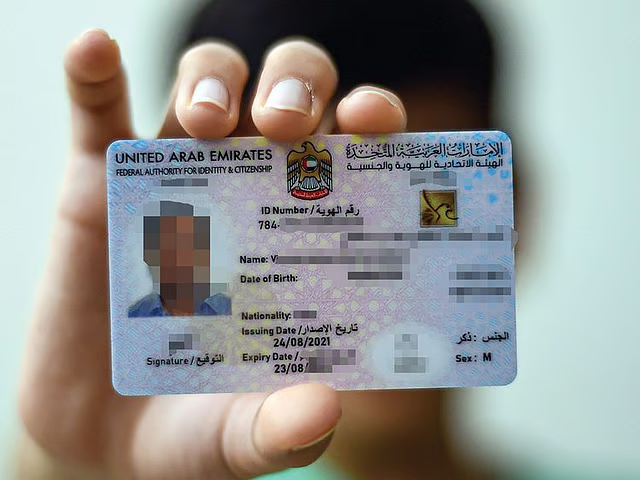
Step 1: Report the Incident
As soon as you realise your Emirates ID is lost or stolen, you must report it at the nearest ICP Customer Happiness Centre. This ensures your old card is deactivated and cannot be misused . If your card is damaged, take the damaged card with you. If it is lost or stolen, bring a copy of the card if available; if you don't have one, ICP can provide your ID number confirmation through their system .
ICP requires residents to report a lost Emirates ID within seven days of the loss .
Step 2: Prepare the Required Documents
Mandatory documents:
Original passport
Valid passport copy
Copy of residence visa
Recent coloured passport-sized photo (must meet ICP specifications)
Optional documents (depending on applicant type):
Copy of previous Emirates ID (front and back)
Sponsor's passport copy
Father's passport copy and Emirates ID (for dependents under father's sponsorship)
Original entry permit
Birth certificate
Disability certificate
Step 3: Apply for Emirates ID Replacement Online
You can complete the replacement application entirely on your phone using the UAEICP app .
Download and sign in – Download UAEICP from the App Store or Google Play. Sign in with UAE Pass for faster processing, or register using your email address .
Search for the service – Open the menu and search for "Replace Emirates ID for Residents". Tap Start Service .
Fill in the application – The app will guide you through several sections: User Data, Identification Information (select reason: lost, stolen, or damaged), Beneficiary Information, Passport Details, and Delivery Address .
Upload documents – Attach the required documents and your passport photo following ICP guidelines .
Review and pay – Check all information carefully before submitting. Pay by debit/credit card. You will receive a request number by email to track your application .
Step 4: Track Your Emirates ID Replacement
You can check the status of your application online:
Visit smartservices.icp.gov.ae
Enter your request number in the Quick Search bar
Step 5: Emirates ID Delivery
Once your new card is ready:
You will receive an SMS from Emirates Post or Zajel with collection details
If you opted for home or office delivery, the courier will inform you of the date and time
Important: The replacement card will carry the same expiry date as the lost or damaged one .
Emirates ID Replacement Fees (2026)
The total cost of replacing an Emirates ID online is AED 451.40 , broken down as follows:
Fee Component | Amount (AED) |
Card issuance fee | 300 |
E-service fees | 29.40 |
ICP fees | 122 |
Total | 451.40 |
Alternative fee structure (some sources):
Online via ICP portal/app: AED 300 + AED 40 application fee = approx. AED 340
Via typing centre: AED 300 + AED 70 application fee = approx. AED 400
Express (Fawri) service: Additional AED 150 (available at service centres)
Standard processing time: Up to 5 working days Express (Fawri) service: Within 24 hours (AED 150 extra)
Key Reminders
Report loss immediately at an ICP Customer Happiness Centre before applying online
Replacement card retains original expiry date
If your residence visa is expiring soon, consider renewing it first (the new Emirates ID will match the visa validity)
You can access a digital Emirates ID on your phone while waiting for the physical card
 Watch AD
Advertisement
Advertisement
Advertisement


